

A customer feedback loop is a repeatable system that collects customer signals, turns them into prioritized actions, and tells customers what changed. Teams that run this loop on a weekly or monthly cadence reduce churn and sharpen product-market fit because they close the loop instead of just collecting data. Some firms build these systems around a measurable closure rate: the percentage of feedback items that get an answer inside a set reply window.
TL;DR:
- A high closure rate of feedback items answered within the reply window is crucial for demonstrating an effective feedback loop.
- Building a focused strategy with clear purpose, channels, owners, and decision rules helps small teams recover time and improve efficiency.
- Tracking closure rate and time-to-action reveals whether fixes truly impact retention, unlike sentiment scores that can be misleading.
- Limiting feedback channels to 3-5 and triggering surveys based on behavior prevents overload and maintains actionable insights.
- Assigning a specific owner to each theme and responding promptly ensures feedback is closed, which reduces churn and strengthens product-market fit.
Table of Contents
- What Is a Customer Feedback Loop, and What Does "Closing the Loop" Mean?
- What Are the Four Stages of an Effective Feedback Loop?
- How Do You Build a One-Page Feedback Strategy in 90 Days?
- What Metrics Actually Tell You the Loop Is Working?
- Which Channels Should You Use to Collect Customer Feedback?
- Why Do Feedback Programs Fail, and How Do You Fix Them?
- What Can You Do This Week to Start Closing Loops?
- Sales Phoenix Perspective: Feedback Loops as Revenue Intelligence
- How Sales-Phoenix Turns Feedback Into Recovered Revenue
- Sources
What Is a Customer Feedback Loop, and What Does "Closing the Loop" Mean?
Closing the loop means telling the customer what happened after they spoke up. Someone reports a bug, and three weeks later gets an email saying it's fixed. Someone praises a feature in a support ticket, and marketing turns that language into a case study. Both are loops. Only one gets talked about.
A positive loop looks like this: a customer mentions in a support chat that they love a workaround they built with your reporting export. Someone tags it, product notices five other customers doing the same thing, and within a month it becomes a marketed feature. A negative loop looks like this: a customer flags a billing error, gets a canned "we're looking into it," and never hears back. They churn three months later, and nobody connects the two events.
Visible follow-up changes behavior on both sides. According to Harvard Business Review, organizations that close the loop see stronger retention and better product-market fit, partly because closing the loop also energizes the employees handling the feedback, not just the customers giving it.
- Positive loop: feature discovered informally, validated across users, shipped and marketed.
- Negative loop: complaint logged, no follow-up, quiet churn.
- The difference between the two is rarely the fix itself. It's whether anyone told the customer.
What Are the Four Stages of an Effective Feedback Loop?
Most working feedback systems run on the same four-stage structure, and the stage most teams skip is the last one. Shopify's research on feedback loops found that stopping at analysis, without reporting back, is the most common failure across teams that otherwise do everything right.
- Collect. Use behavior-triggered micro-surveys at friction points, structured support verbatims, and short customer interviews. Trigger surveys off actions, not calendars, so the question lands while the experience is fresh.
- Analyze. Build a simple tagging taxonomy (billing, onboarding, performance, feature request) and run AI-assisted thematic analysis to group similar comments fast. Segment by plan tier or tenure so you're not averaging away your best signal.
- Apply. Assign a named owner to every theme. Separate quick wins (a copy fix, a settings toggle) from product bets that need roadmap discussion, and route each accordingly.
- Close. Reply within a defined window, using a template that names the specific issue, and publicize bigger fixes through release notes or a changelog.
Pro Tip: Track a "second loop": when you announce a fix, watch for customers who respond to that announcement. Their reaction tells you whether the fix actually mattered to them, which is a different signal than whether they simply asked for it.
How Do You Build a One-Page Feedback Strategy in 90 Days?
A one-page feedback strategy works because it forces decisions before you collect a single response. SupportBee's playbook on customer feedback strategy found that small teams who write this document down recover the time investment within a single quarter, mostly because it prevents endless re-litigating of what counts as a priority.
Your one page needs:
- Purpose: what decision this feedback program is meant to inform.
- Channels: 3 to 5 sources, no more, each with a named owner.
- Cadence: weekly triage, monthly theme review, quarterly strategy reset.
- Decision rules: written "if X then Y" logic, not judgment calls made fresh each time.
- Close discipline: the reply window and who's accountable for hitting it.
Two decision rules worth stealing directly: any NPS score indicating low satisfaction triggers personalized outreach within about a week, and any frequently recurring issue appearing on multiple support tickets in a month gets escalated to product for a triage discussion.
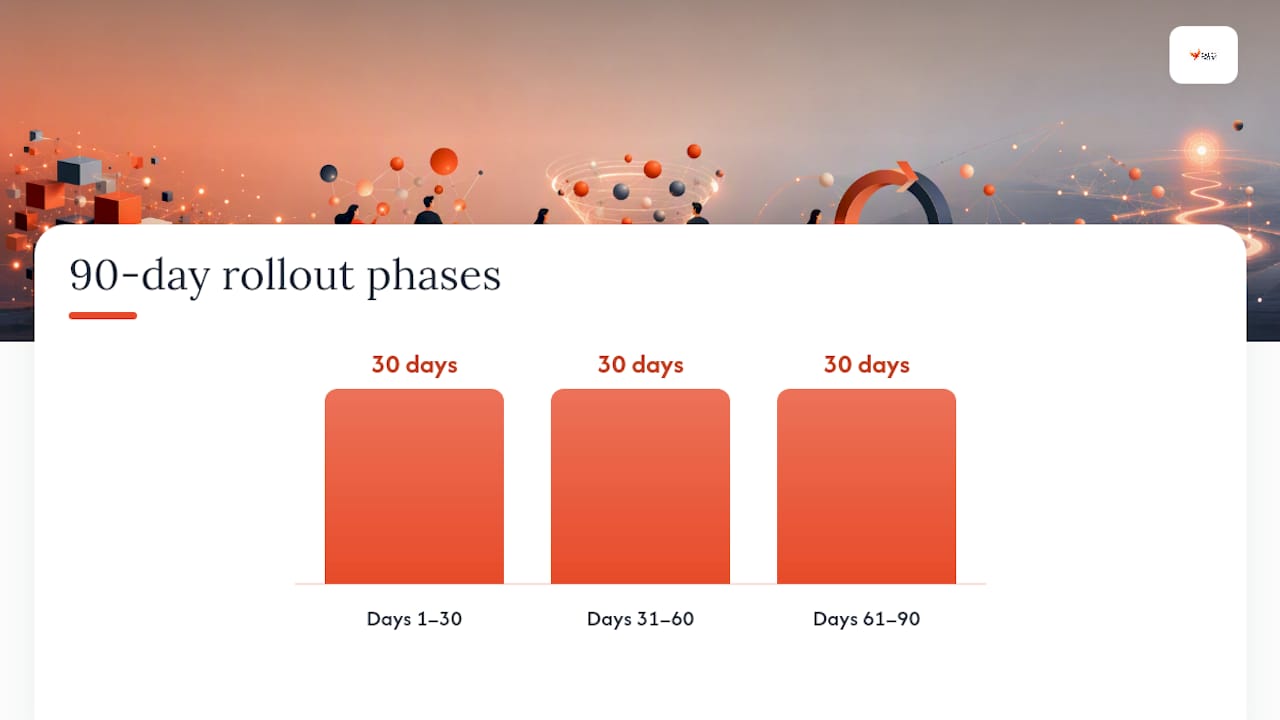
For the rollout: Days 1 to 30 get the strategy written and channels live. Days 31 to 60 run your first monthly review and close your first batch of loops. Days 61 to 90 measure closure rate, adjust the decision rules that didn't hold up, and repeat.
What Metrics Actually Tell You the Loop Is Working?
NPS and CSAT measure sentiment at a point in time; neither tells you whether anyone acted on what customers said. That's the job of two operational metrics most teams don't track: closure rate (the percentage of feedback items answered within your reply window) and time-to-action (how long from signal to shipped fix or documented response).
A useful target: a closure rate above a high majority within a short, defined reply window is achievable for most small teams once ownership is assigned by theme rather than left ambiguous, based on the operational patterns described in the Koji customer feedback loop guide.
Relying on NPS alone is a trap. A score can hold steady while your closure rate quietly collapses, and that gap is usually where churn actually starts. Track closure rate and time-to-action alongside retention curves, and you'll see which fixes actually moved the needle instead of guessing.
Which Channels Should You Use to Collect Customer Feedback?
Pick from in-product prompts, post-transaction email, support transcripts, public reviews, social mentions, and structured interviews. Don't run all six. MyShyft's research on avoiding survey fatigue recommends behavior-triggered micro-surveys: a single contextual question shown right at a friction point, designed to take under 10 seconds to answer.
- Choose 3 to 5 channels maximum, and write down who owns each one.
- Trigger surveys off behavior (a canceled subscription, an abandoned setup flow), not a fixed schedule.
- Retire any channel that isn't generating tagged, actionable volume within a quarter.
More channels rarely means more insight. It usually just means more noise to sort through, and a smaller team to sort it.
Why Do Feedback Programs Fail, and How Do You Fix Them?
Five failure modes show up again and again: unclear goals, slow analysis, no named owner, feedback that never gets closed, and survey overload that trains customers to stop responding.
- Unclear goals: write a specific purpose statement before collecting anything.
- Slow analysis: use AI-assisted tagging to cut time-to-insight from weeks to hours.
- No owner: assign one name per theme, not a team or department.
- Never closing the loop: build the reply template before you launch the channel.
- Survey overload: cap active surveys and trigger by behavior, not calendar.
Pro Tip: Feedback delivered to your own team works the same way it does with customers. Task-focused, specific comments beat vague evaluative ones, and research on performance feedback loops found that too much evaluative feedback can actually hurt performance rather than improve it.
What Can You Do This Week to Start Closing Loops?
- Write the one-page strategy: purpose, channels, owners, cadence, decision rules.
- Pick 3 to 5 channels and shut off everything else.
- Build your tagging taxonomy before the first response comes in.
- Run your first triage session and assign owners by theme.
- Ship one small, visible fix, no matter how minor.
- Send a follow-up message naming the specific issue you fixed.
- Measure your closure rate for that first batch.
- Turn your single success into five prioritized decision rules for month two.
Week one is about proving the mechanism works. Month one is about hitting your first real closure rate. Quarter one is about having decision rules solid enough that you stop debating the same judgment call twice.
Sales Phoenix Perspective: Feedback Loops as Revenue Intelligence
Sales-phoenix treats customer feedback as a revenue-intelligence input, not a satisfaction exercise. Inside the Phoenix Growth Framework™, feedback themes get a named owner, a decision rule, and a spot on an Executive Dashboard where leadership can see closure rate next to pipeline and retention data, not in a separate report nobody opens.
— Hunter
How Sales-Phoenix Turns Feedback Into Recovered Revenue
Most feedback programs stall because nobody connects "customers are complaining about X" to "X is costing us money," a challenge often faced by professional advisors working to prioritize their client feedback effectively. Some firms close that gap. Our Revenue Intelligence work builds the dashboards that tie closure rate and time-to-action directly to churn and lost deals, while our Customer Intelligence engagements set up the tagging, ownership, and decision rules that make a feedback loop actually operational instead of aspirational.

If you already suspect feedback is surfacing problems your team isn't acting on fast enough, that's usually a symptom of a bigger revenue leak. A Revenue Leak Assessment identifies where that leak is happening and what to fix first. Start there, and you'll know within weeks whether the gap is process, ownership, or something further upstream in your sales workflow.
Sources
For deeper technical grounding, see Harvard Business Review on closing the loop, Shopify's four-stage framework, and SupportBee's strategy template. For revenue-side application, explore Sales-phoenix's Growth Assessment.
- Closing the Customer Feedback Loop - Harvard Business Review
- Customer Feedback Loops: How They Work and Examples - Shopify
- Customer Feedback Strategy: From Listening to Action - SupportBee
- To avoid survey fatigue, use behavior-triggered micro-surveys (MyShyft)